Web UI Tour
py-phone-caller provides a secure operator UI for scheduling calls, managing on-call coverage, and inspecting PBX events. This tour walks the end-to-end workflow from login to acknowledgment.
▣ Feature Tiles ★
| Alertmanager Webhooks | Scheduled Voice Alerts | Managed Call Lifecycle |
|---|---|---|
| Retries + Acknowledgment | On-call Coverage Planner | PBX Event Telemetry |
| Timezone-aware Routing | Contact Directory | Secure Operator Access |
| CSV Audit Exports | Fast Search + Filters | User Management |
≡ Mini TOC ★
- Feature Tiles
- At a glance
- Access & Navigation
- Core Lists
- Contacts & On-call Coverage
- Scheduling a Call
- Live Call Execution
- PBX Observability
- Alerting Integration
- Wrap-up
◎ At a glance ★
- Secure access gate and login flow
- Unified navigation for calls, events, scheduling, and contacts
- On-call windows and calendar coverage
- Scheduled calls with text-to-speech messages
- Managed call lifecycle with retries and acknowledgments
- PBX event stream with JSON payloads and CSV export
- Alertmanager webhook integration
▶ Access & Navigation ★
Access gate ★
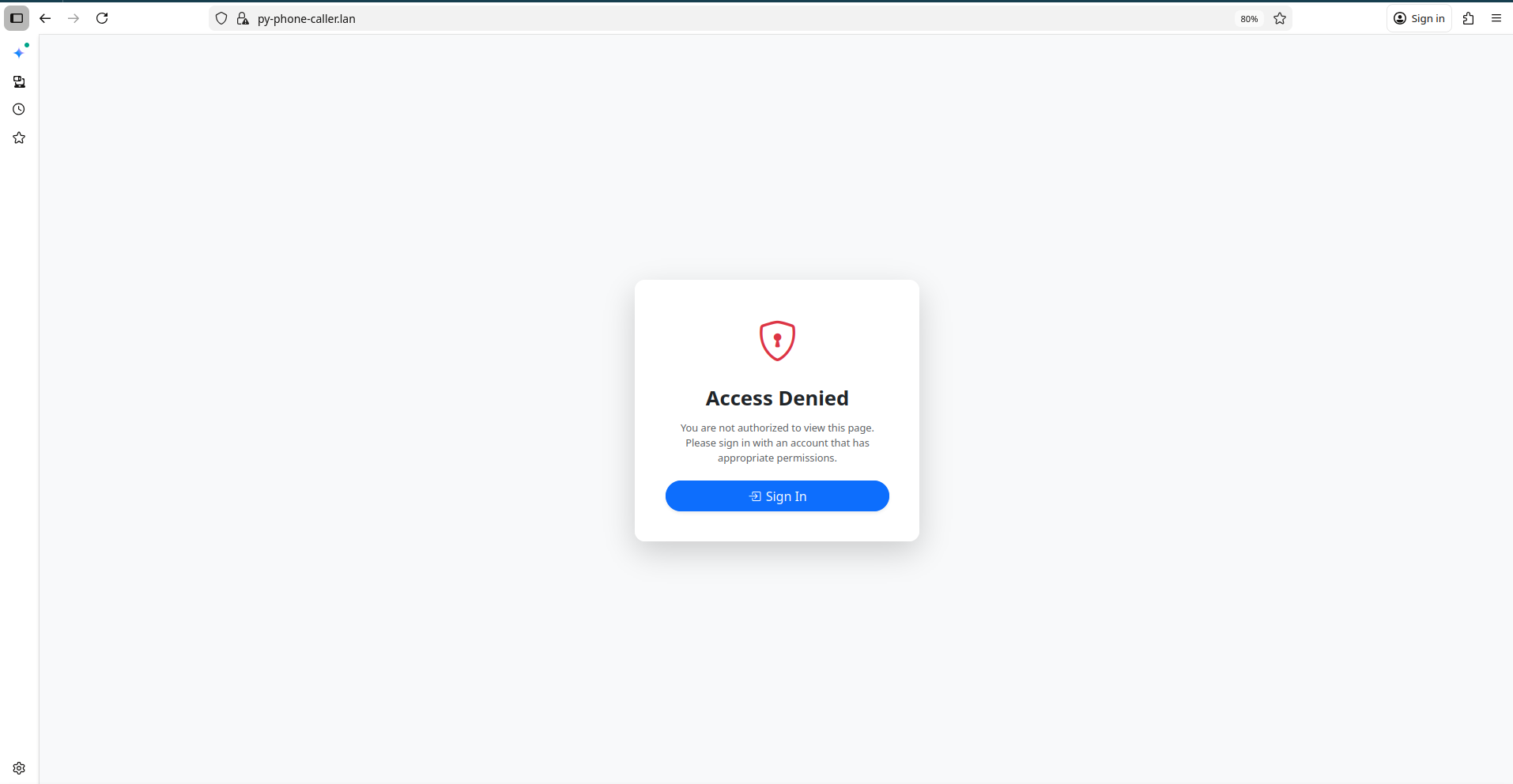 Auth gate blocks unauthenticated access; sign-in required.
Login ★
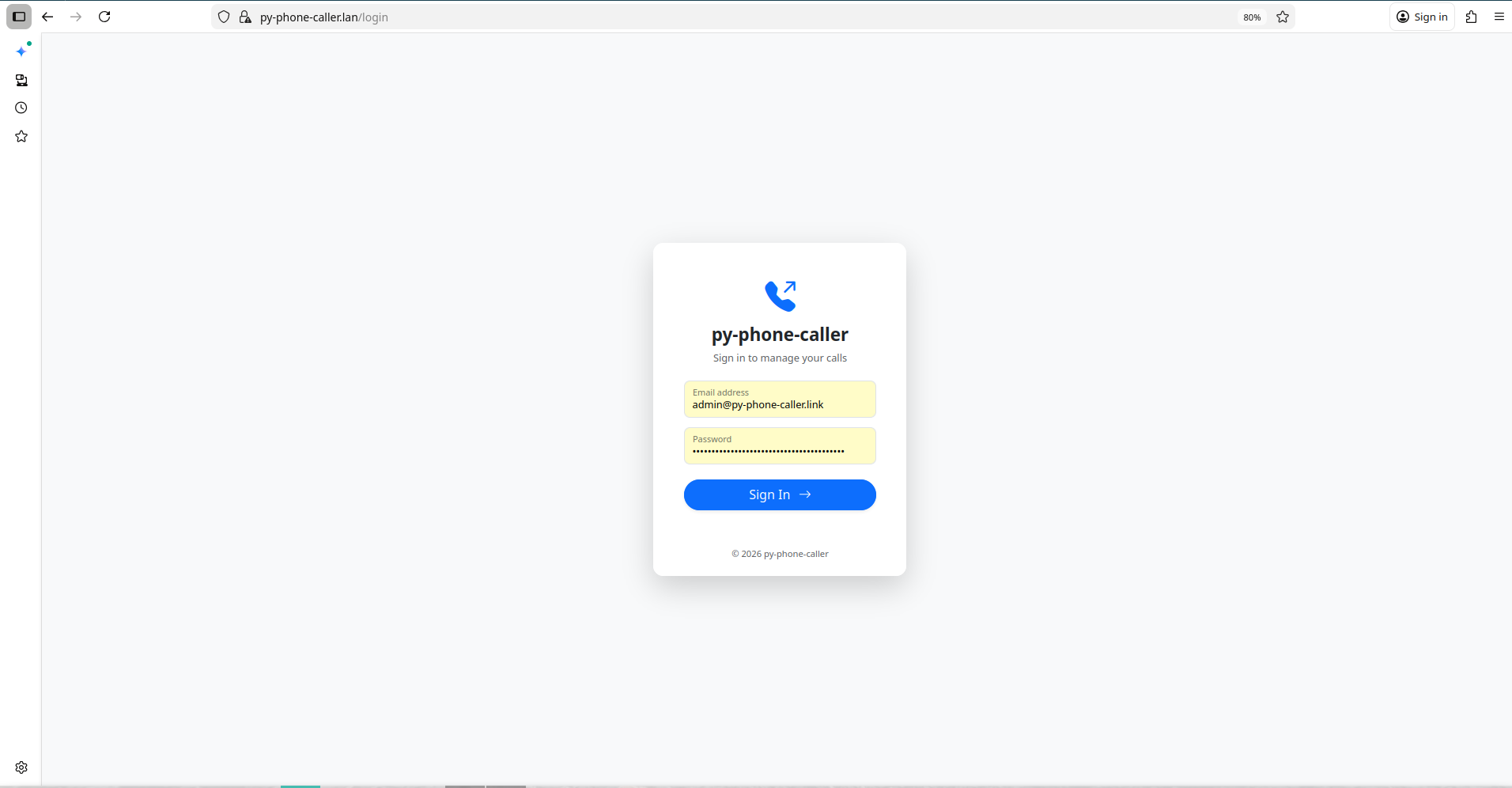 Credential form for authenticated UI access (the initial credentials are created when the Web UI starts).
Dashboard ★
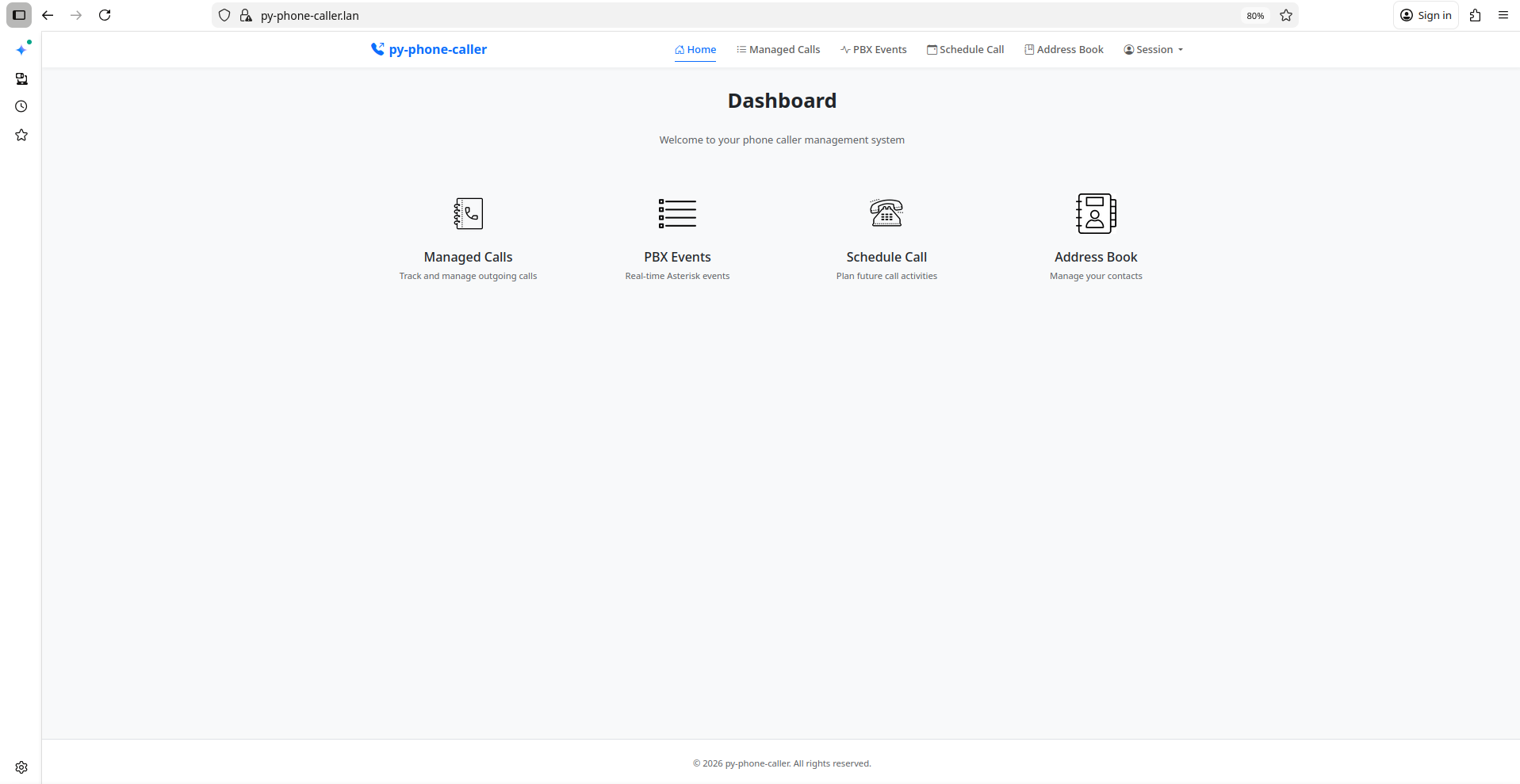 Primary navigation to Managed Calls, PBX Events, Schedule Call, and Address Book.
▤ Core Lists ★
Managed Calls (empty state) ★
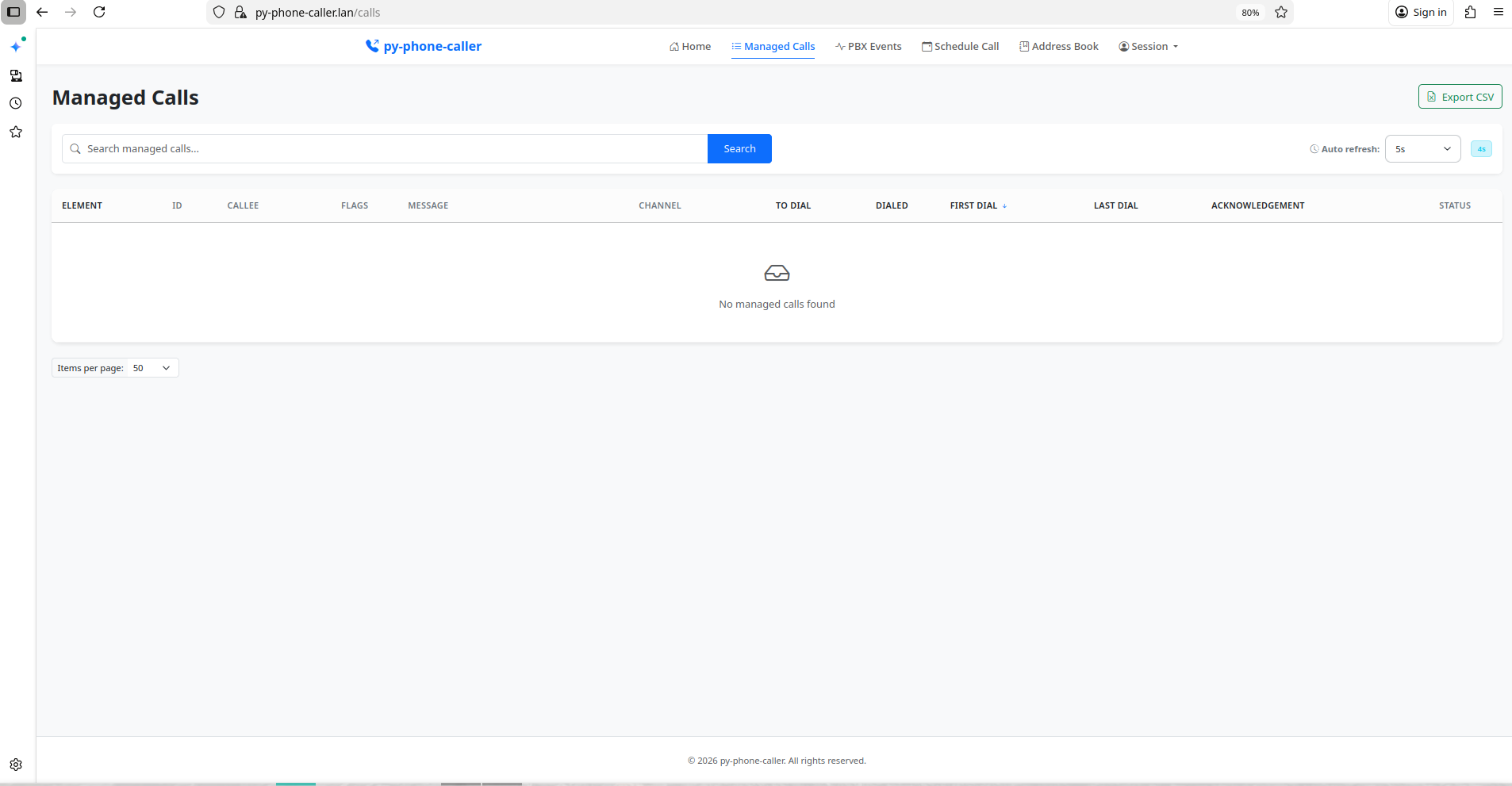 Managed Calls table with search, auto-refresh, and CSV export.
PBX Events (empty state) ★
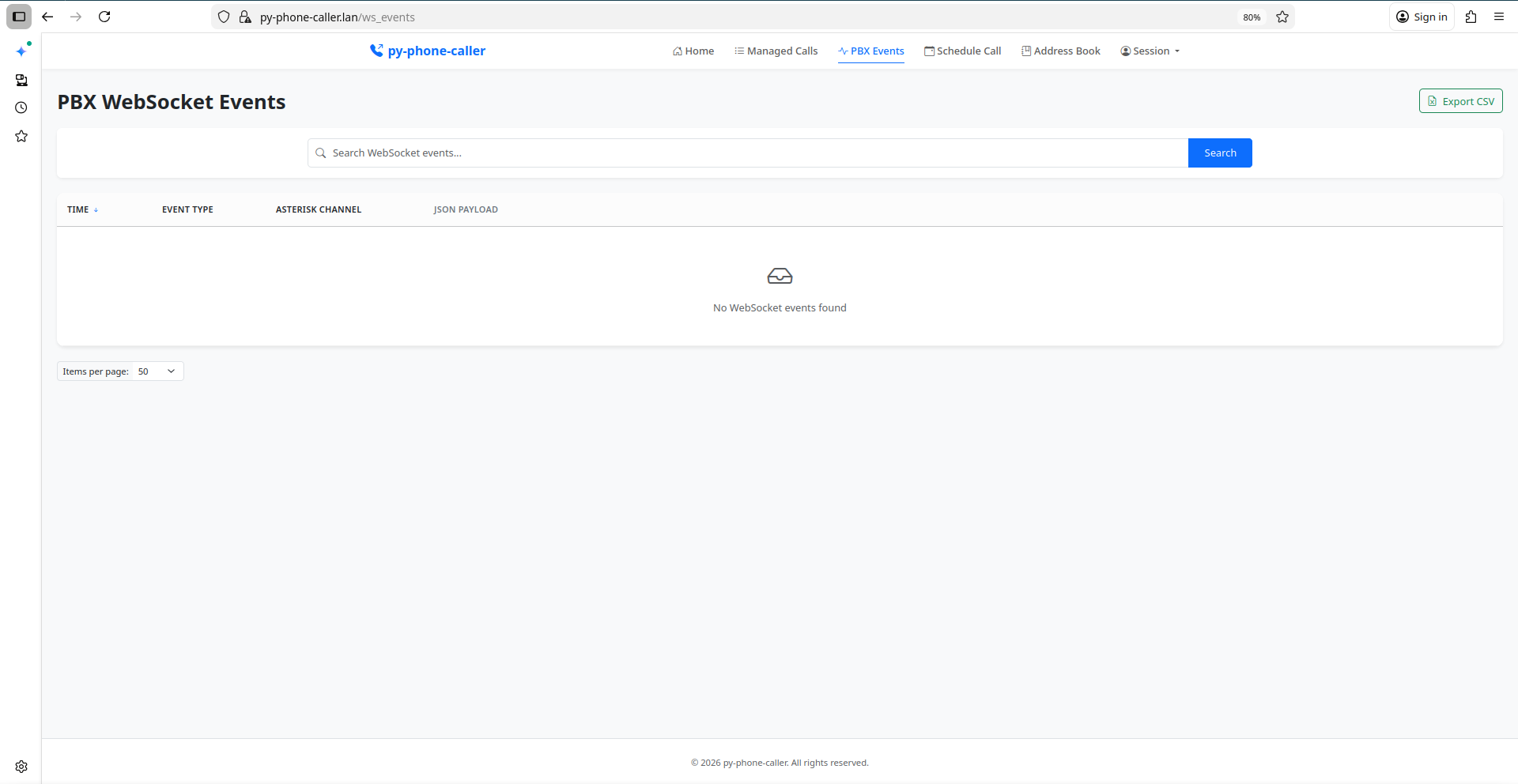 WebSocket event stream with filter and export controls.
Scheduled Calls (empty state) ★
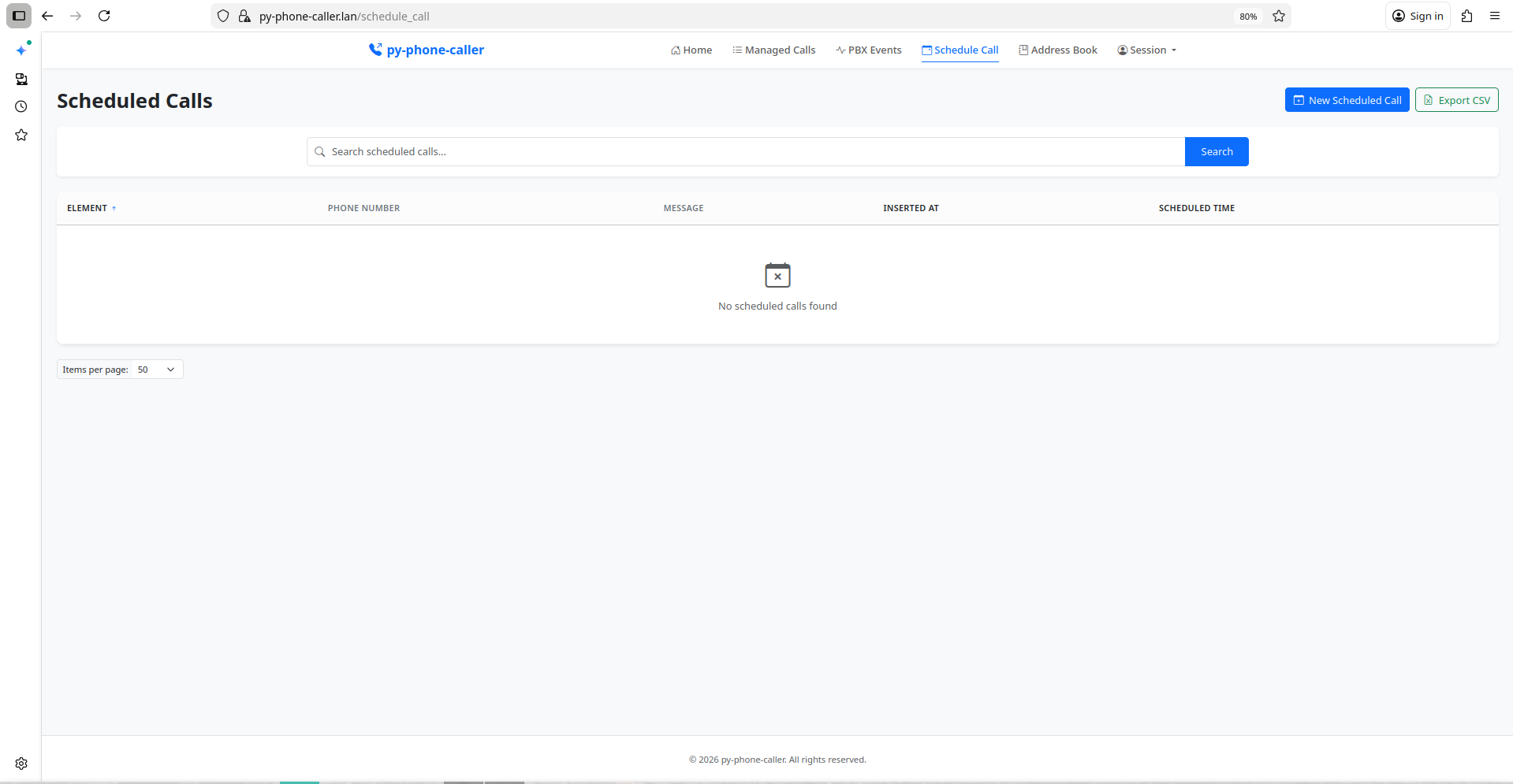 Scheduled Calls queue with a one-click create action.
Address Book (empty state) ★
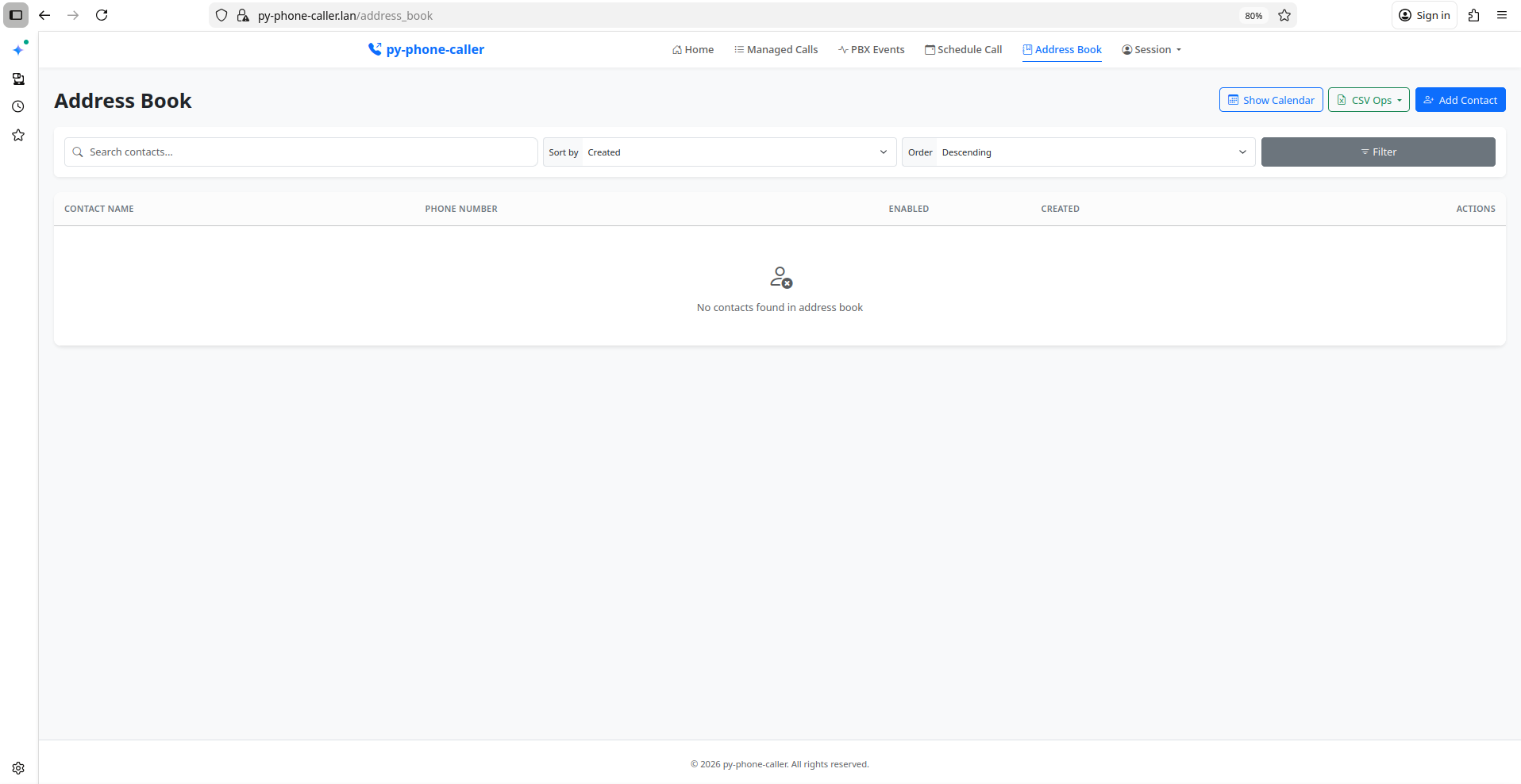 Contacts list with search, sort, filters, calendar access, and CSV tools.
User Management ★
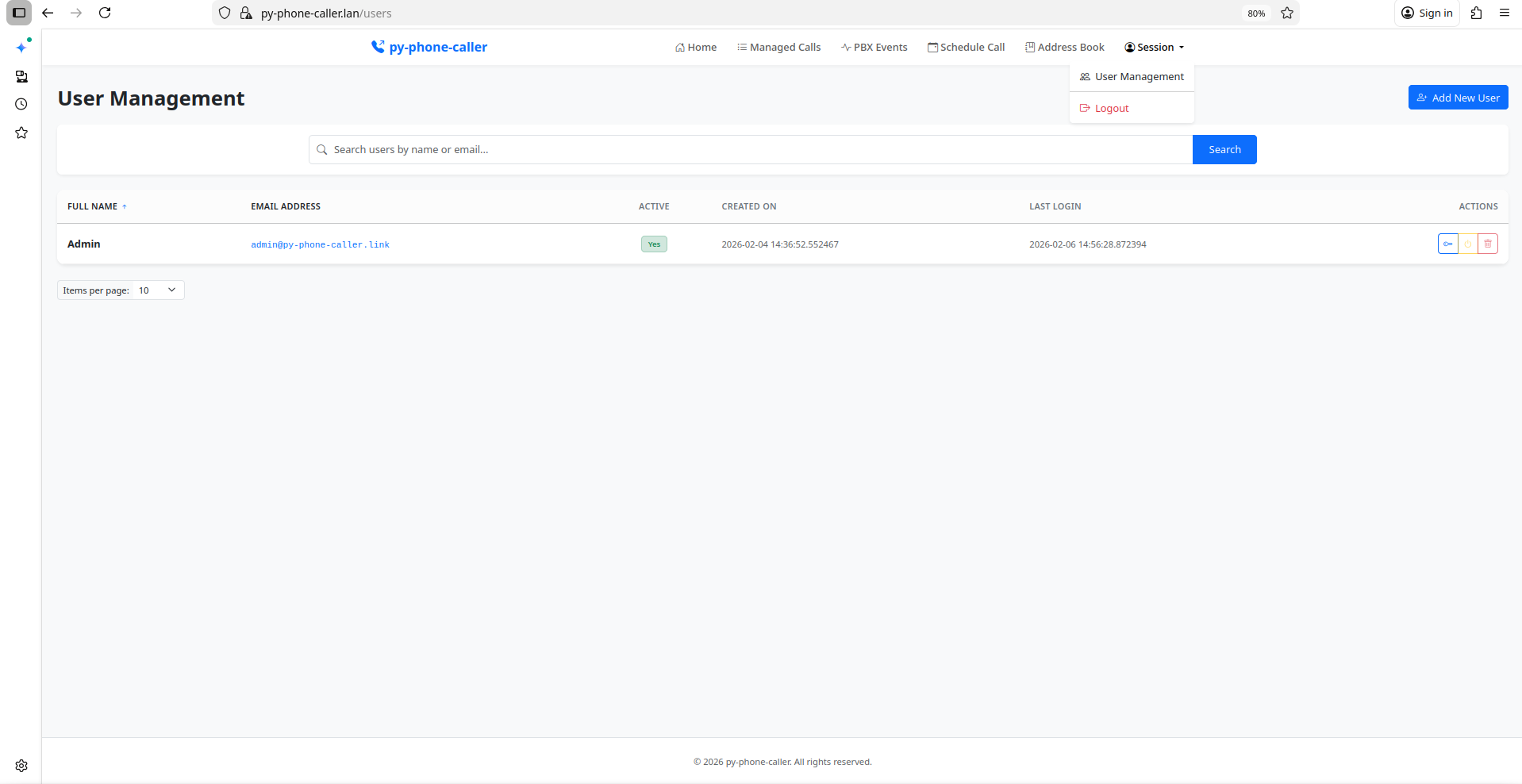 User list with active status, last login, and admin actions.
☎ Contacts & On-call Coverage ★
Add Contact ★
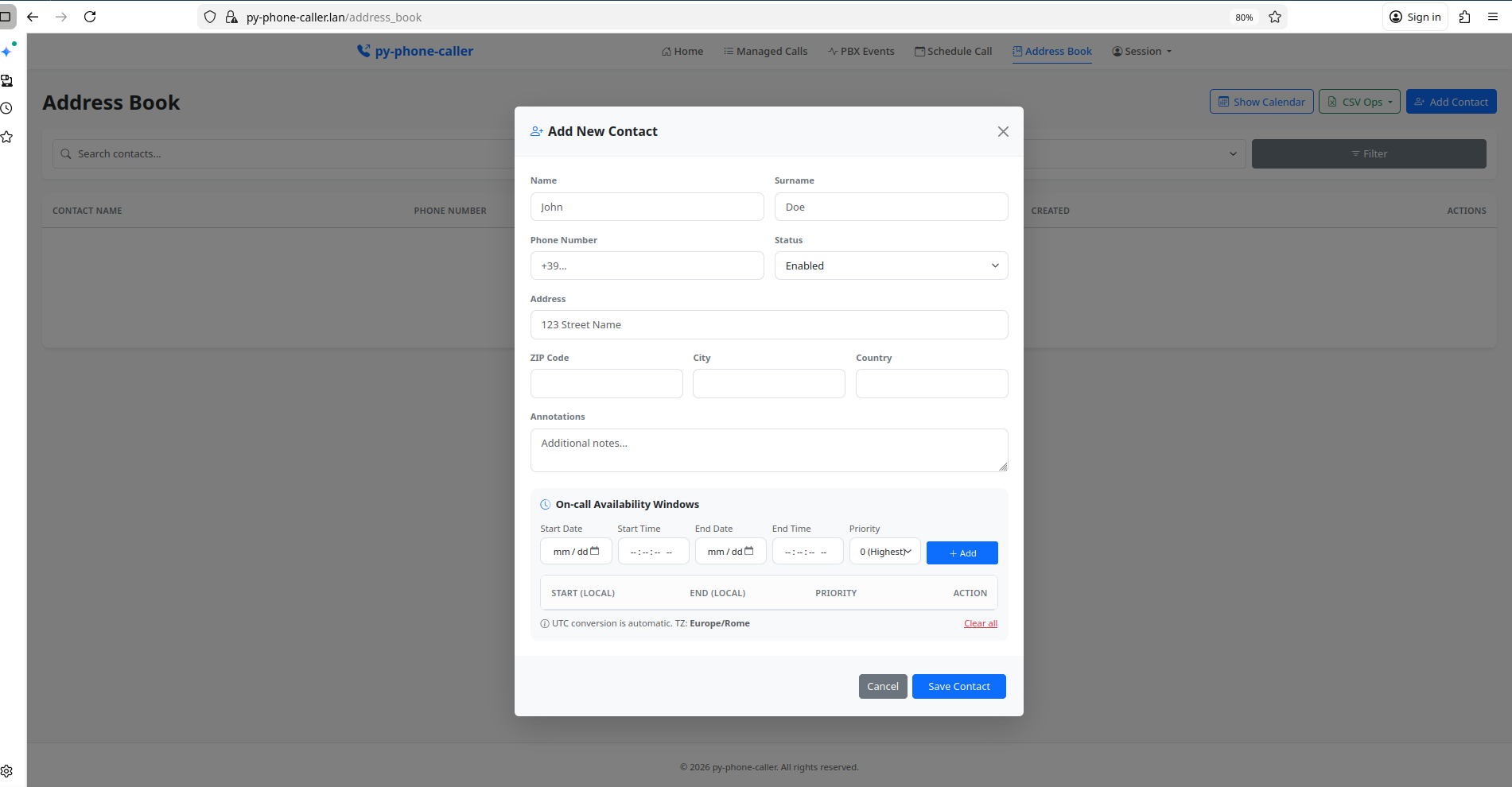 Contact creation modal with profile fields and on-call windows.
On-call Calendar ★
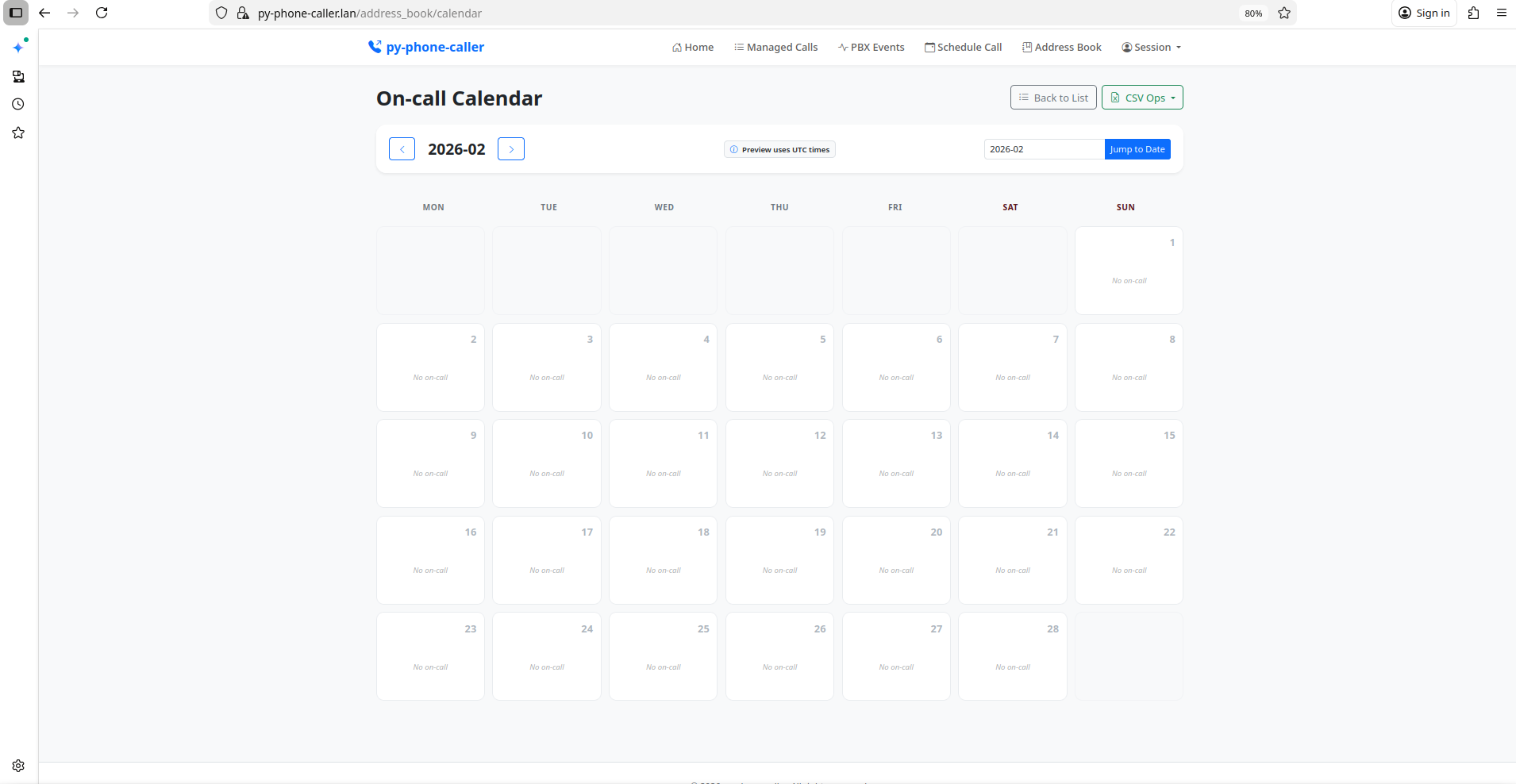 Monthly calendar with UTC preview and navigation.
Define Availability Window ★
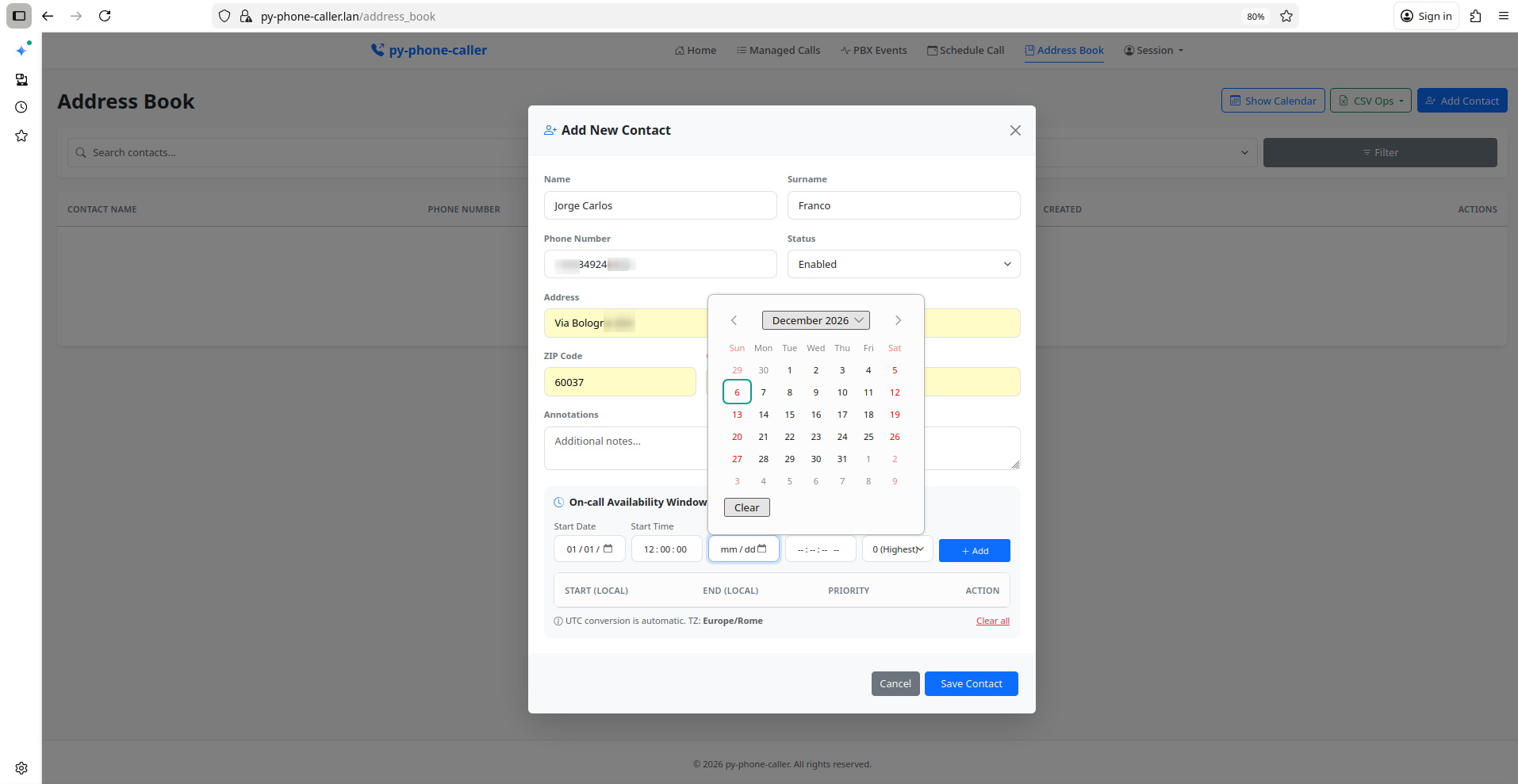 Date/time picker and priority for precise on-call coverage.
Saved Contact Window ★
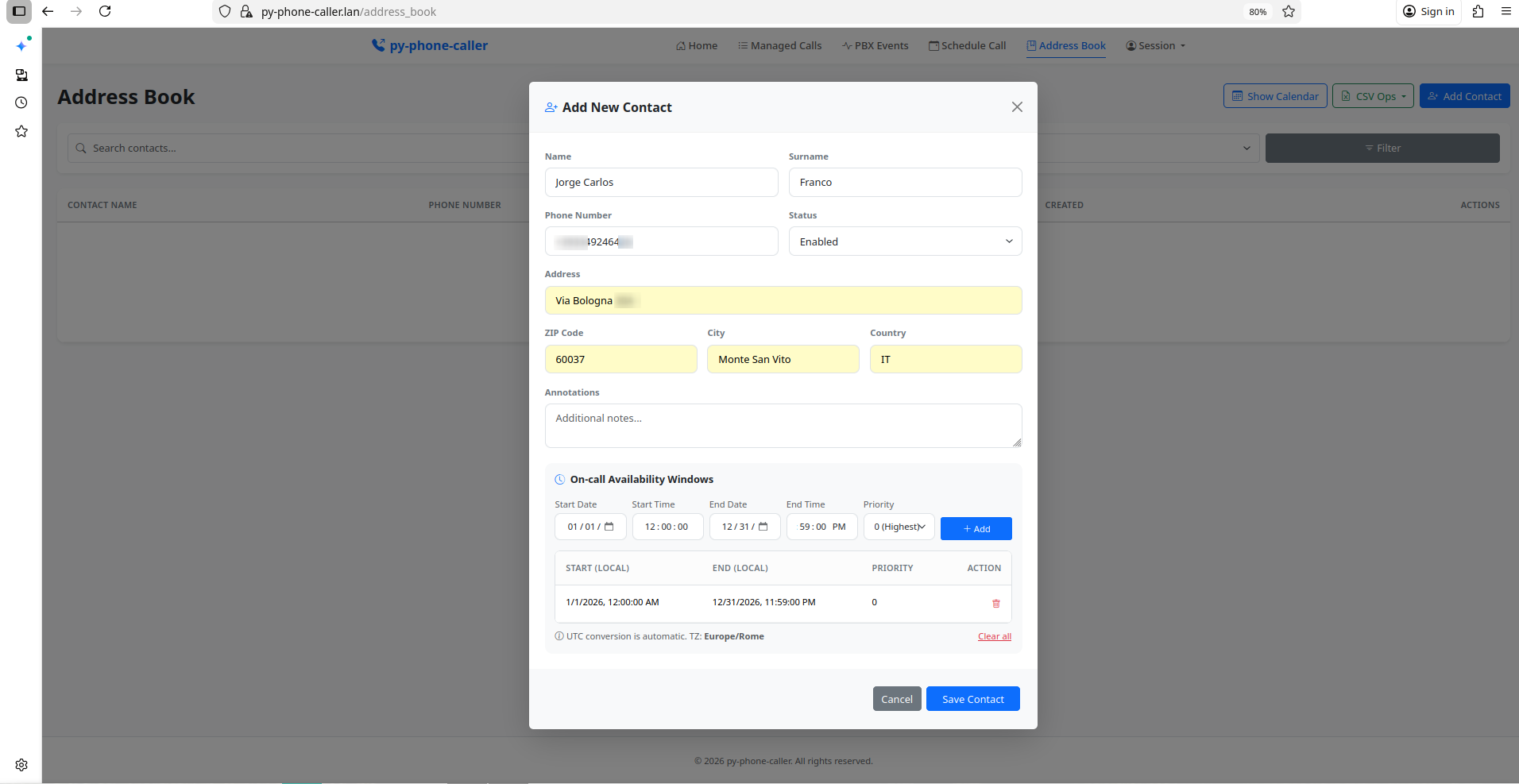 Saved availability window listed with local timezone.
Calendar Populated ★
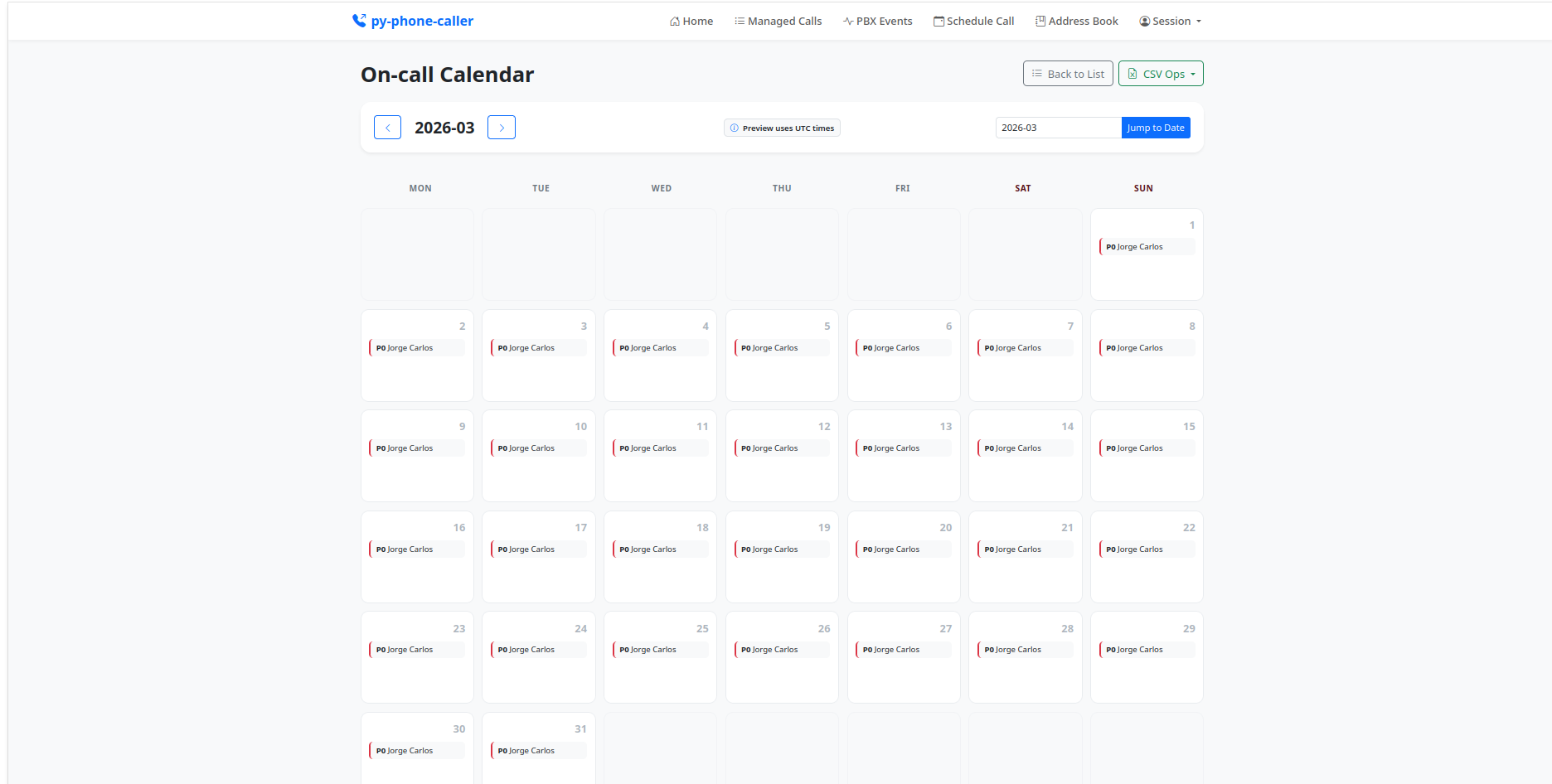 On-call blocks shown across the calendar.
⌛ Scheduling a Call ★
New Call Modal ★
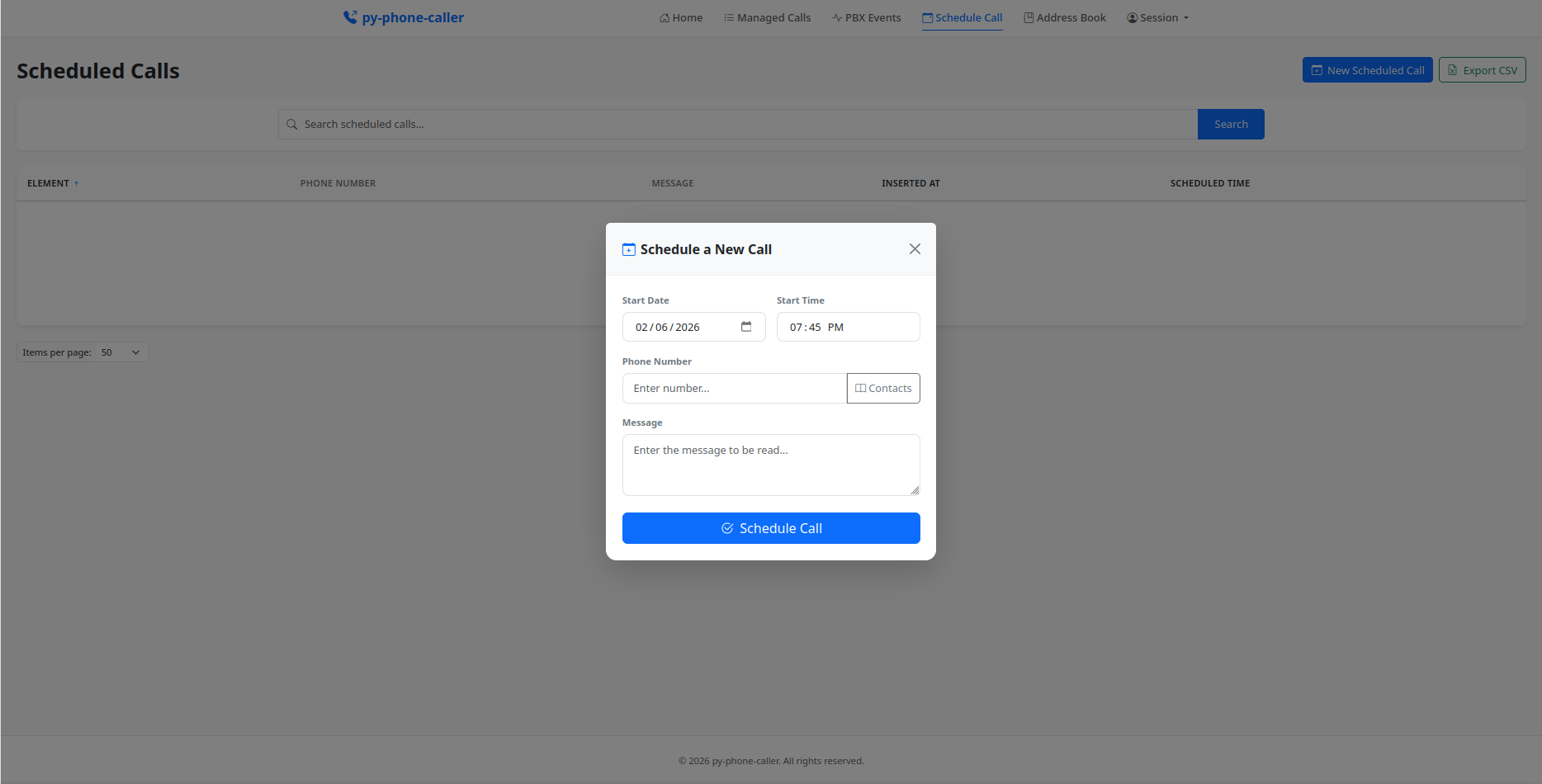 Schedule call modal with date/time, number, and message fields.
Pick Contact ★
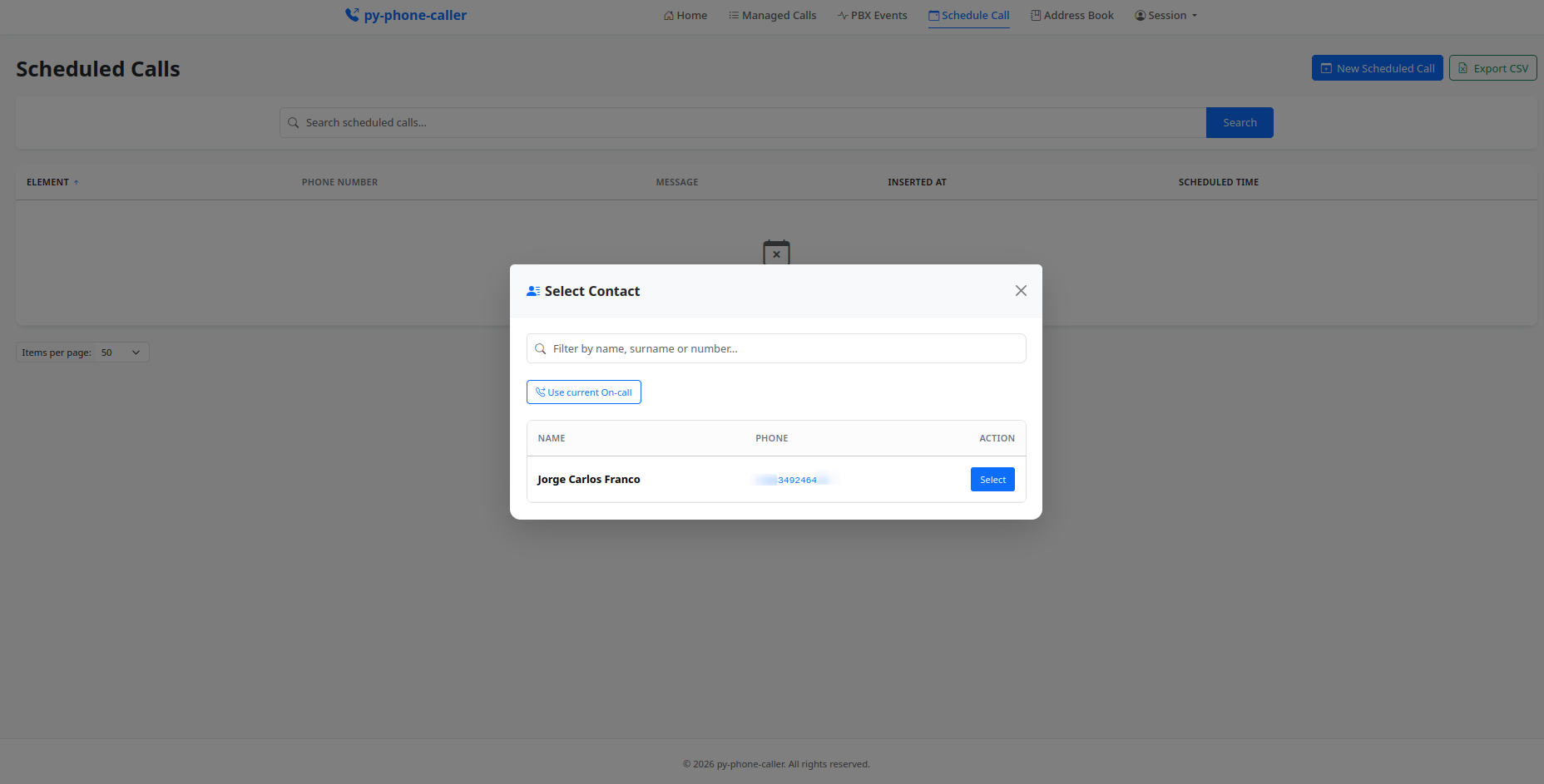 Contact picker with search and "Use current On-call" shortcut.
Text-to-Speech Message ★
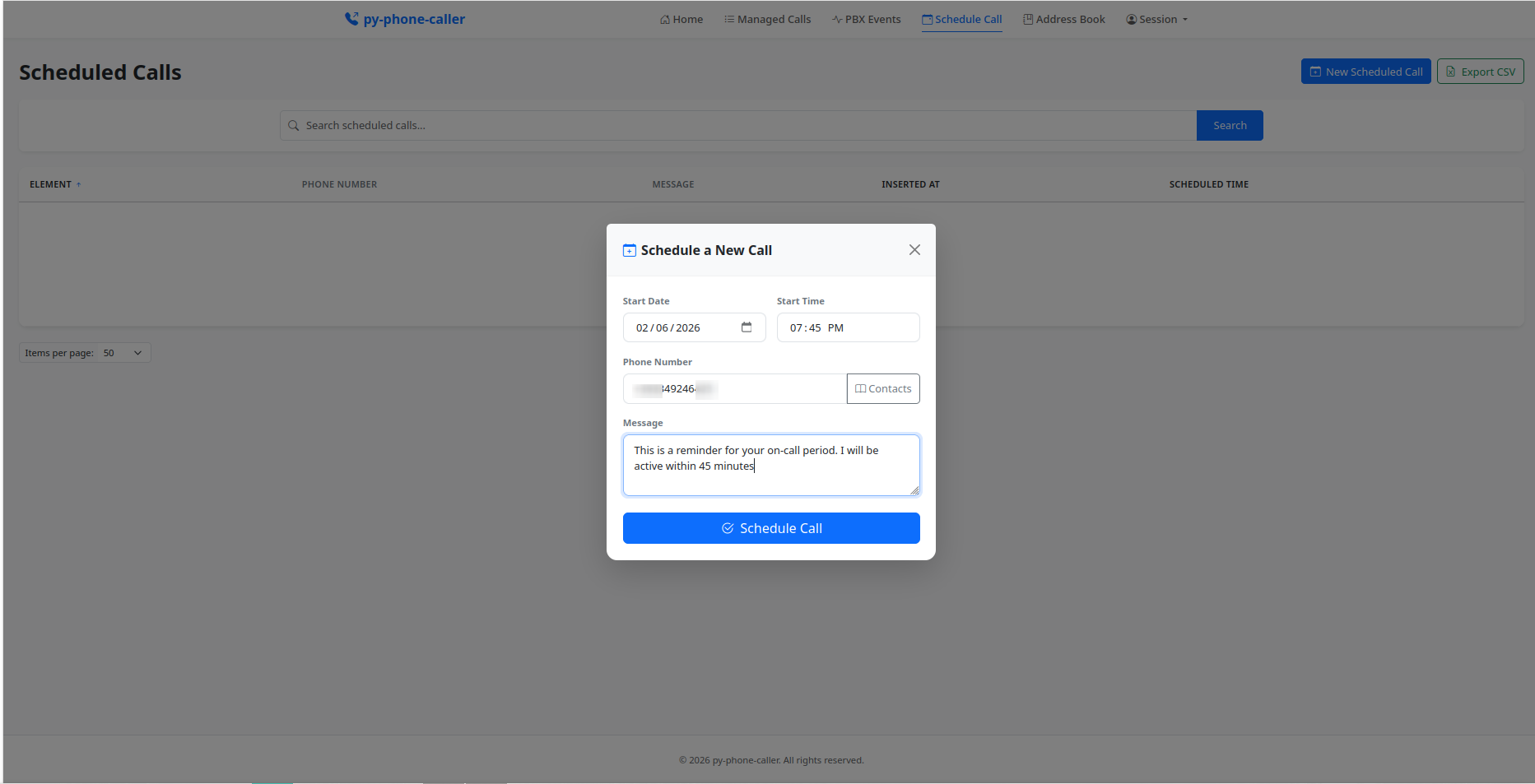 Message entry for text-to-speech delivery (the time on this screenshot differs from the next screenshots, because the placed call was another).
Scheduled Queue ★
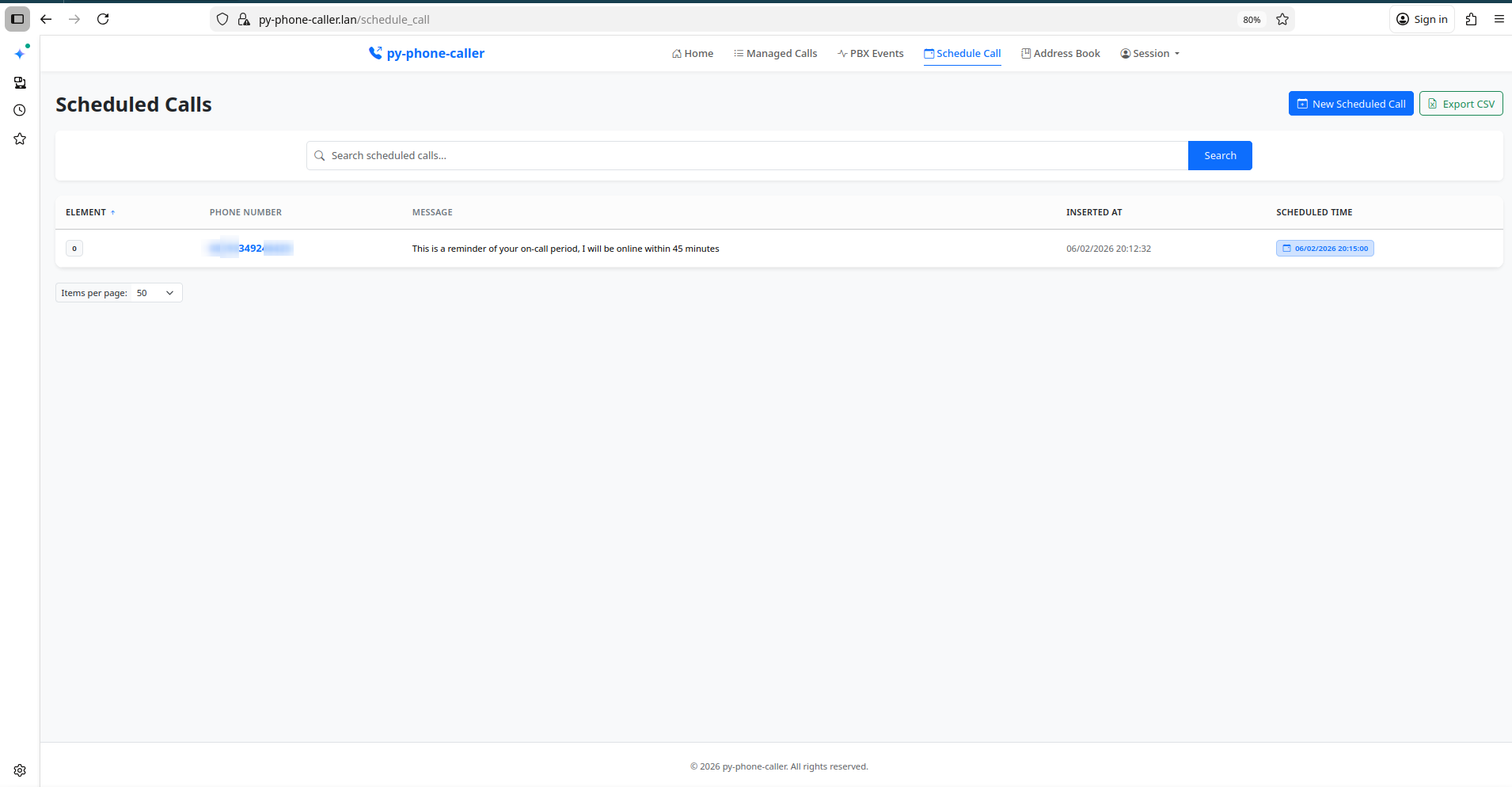 Scheduled call record with message, inserted time, and schedule time.
► Live Call Execution ★
Call Placing ★
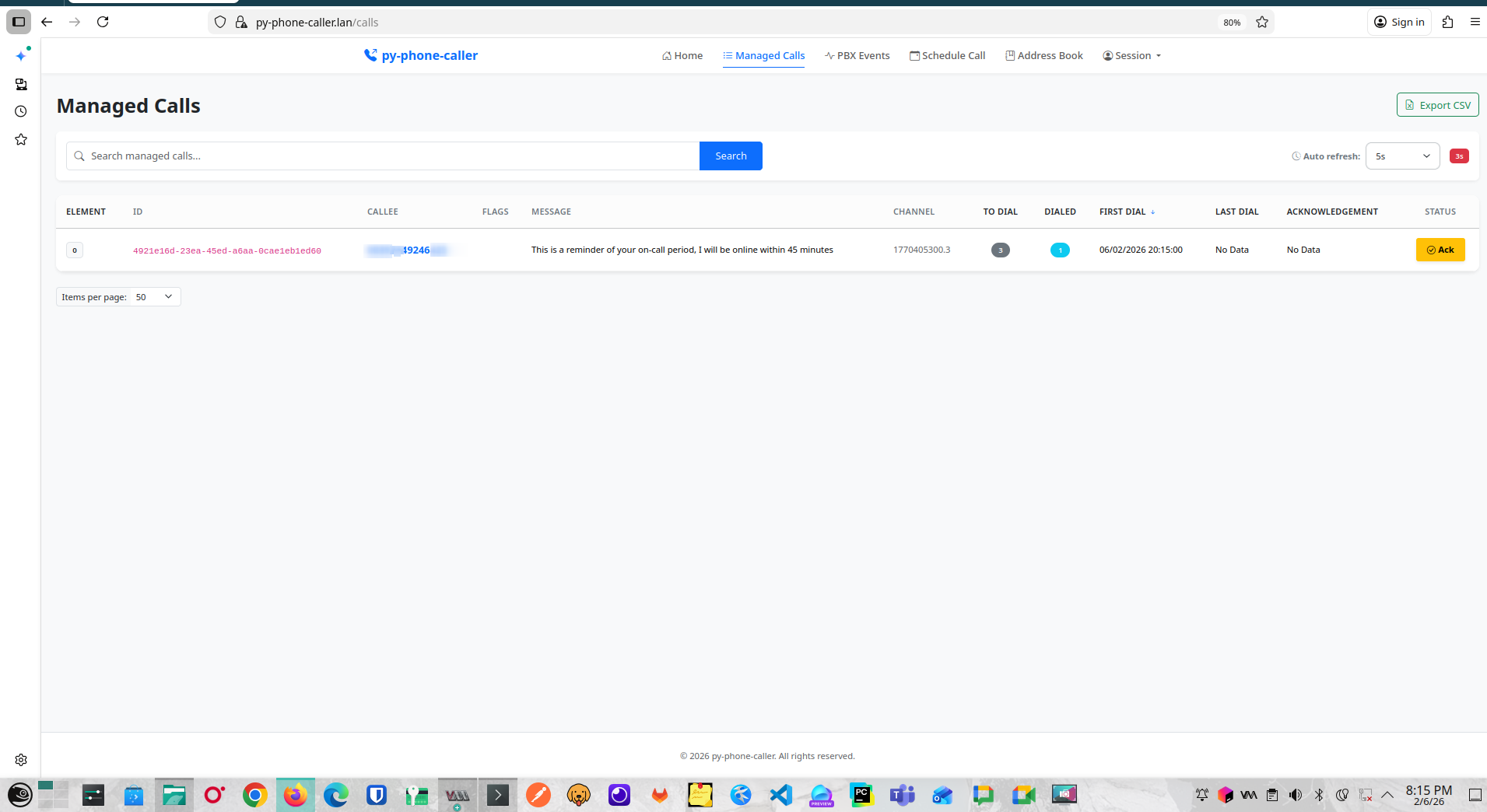 Managed call in dialing state with counters and ack control.
Retry on No Answer ★
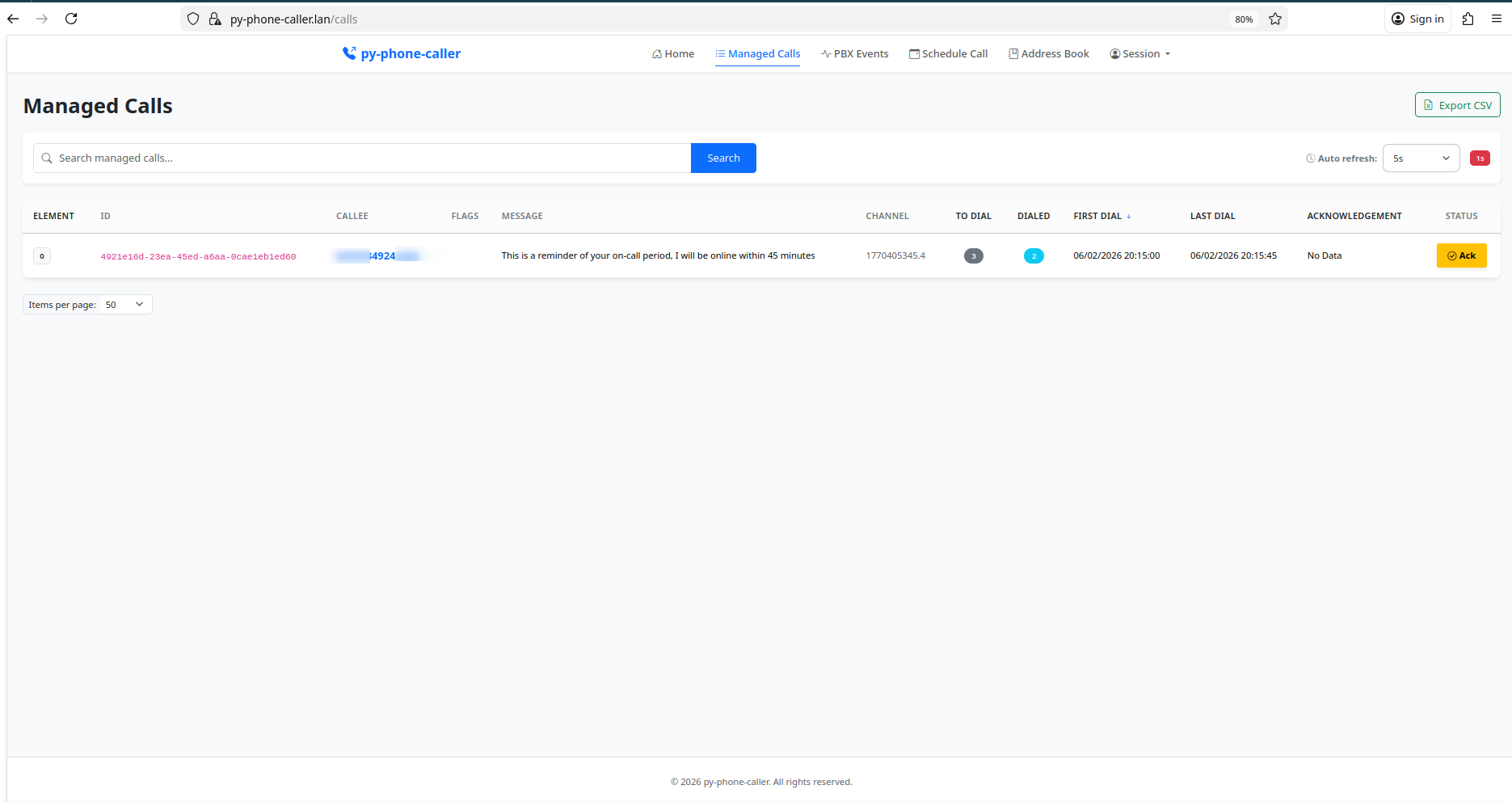 Retry attempt tracking when the callee does not answer.
Call Acknowledged ★
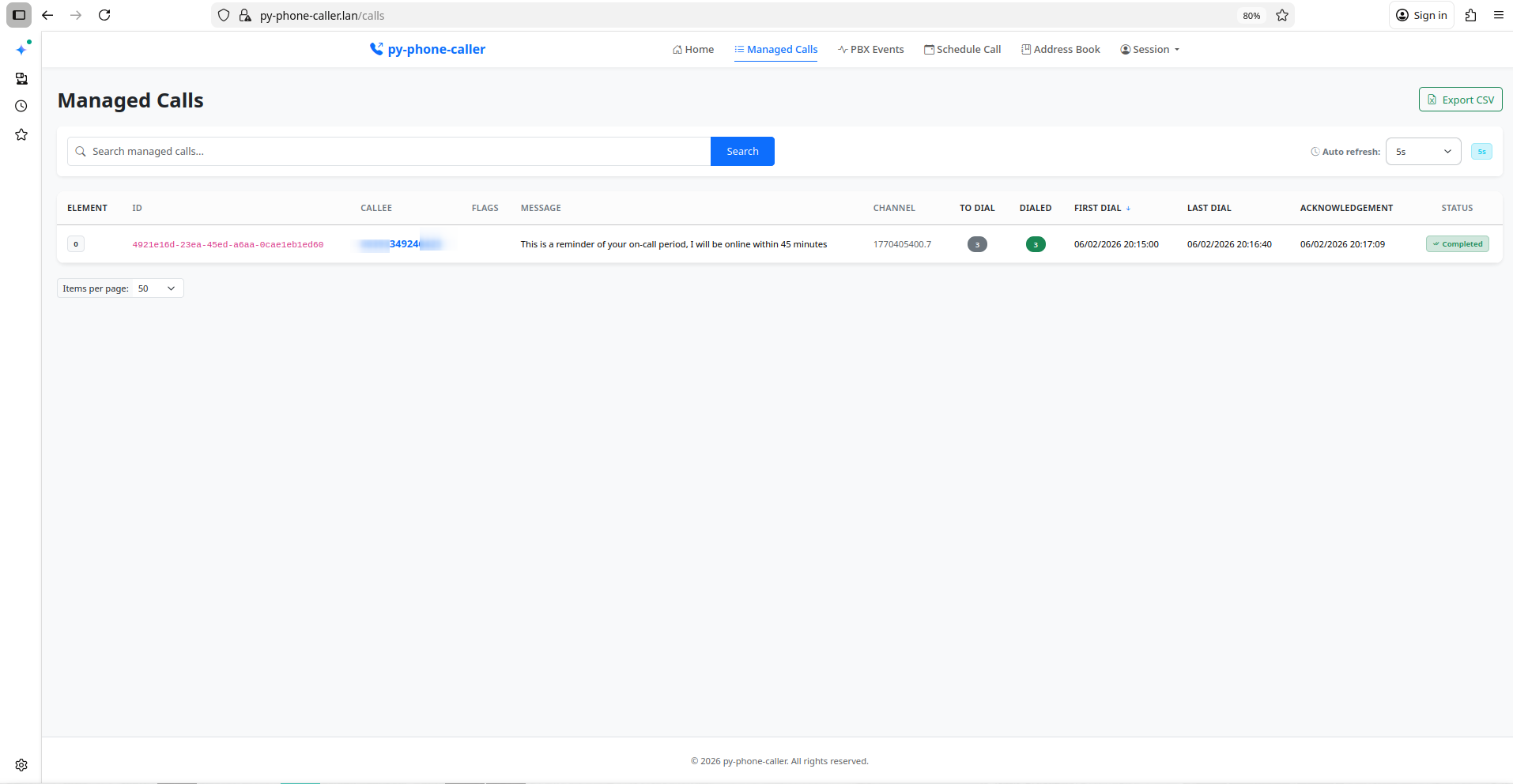 Completed call with DTMF acknowledgment (key 4) timestamp.
◍ PBX Observability ★
PBX Event Trace ★
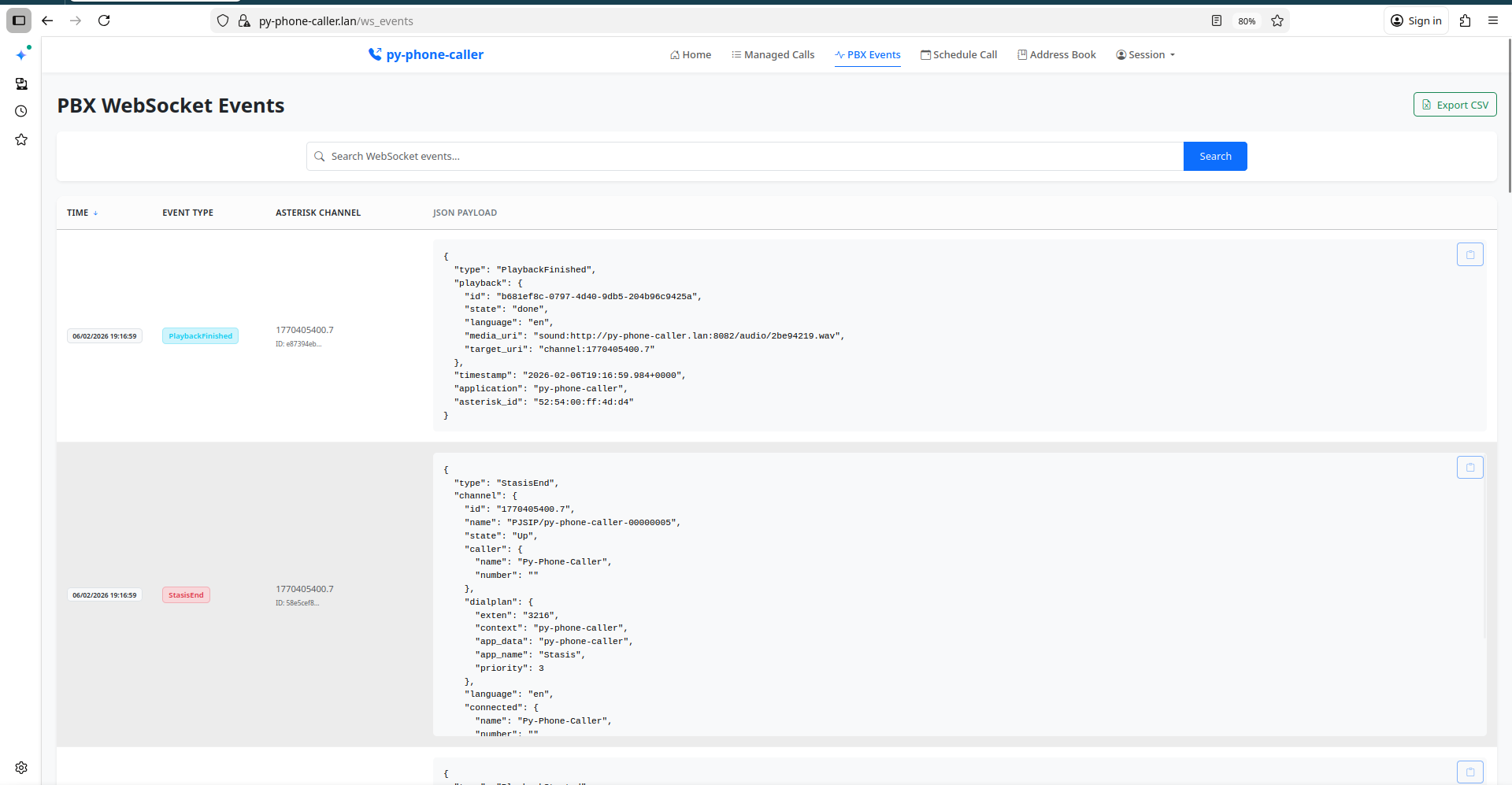 Structured PBX event JSON tied to the call for troubleshooting.
⚠ Alerting Integration ★
External systems can trigger calls via HTTP. Alertmanager is shown below.
Note: example of HTTP POST request from the Alertmanager
POST http://py-phond-caller.lan:8084/call_only
Content-Type: application/json

{
   "receiver":"webhook",
   "status":"firing",
   "alerts":[
      {
         "status":"firing",
         "labels":{
            "alertname":"TestAlertFromAlertmanager",
            "instance":"localhost:9090",
            "job":"prometheus"
         },
         "annotations":{
            "description":"Shakespeare sonnets generally focus on the themes of love and life. The first 126 are directed to a young man whom the speaker urges to marry",
            "summary":"our summary"
         },
         "startsAt":"2021-03-02T21:52:26.558311875+01:00",
         "endsAt":"0001-01-01T00:00:00Z",
         "generatorURL":"http://prometheus:9090/graph"
      }
   ],
   "groupLabels":{
      "alertname":"TestAlertFromAlertmanager",
      "job":"prometheus"
   },
   "commonLabels":{
      "alertname":"TestAlertFromAlertmanager",
      "instance":"localhost:9090",
      "job":"prometheus"
   },
   "commonAnnotations":{
      "description":"our description",
      "summary":"our summary"
   },
   "externalURL":"http://alertmanager:9093",
   "version":"4",
   "groupKey":"{}:{alertname=\"TestAlertFromAlertmanager\", job=\"prometheus\"}"
}
Alertmanager Call ★
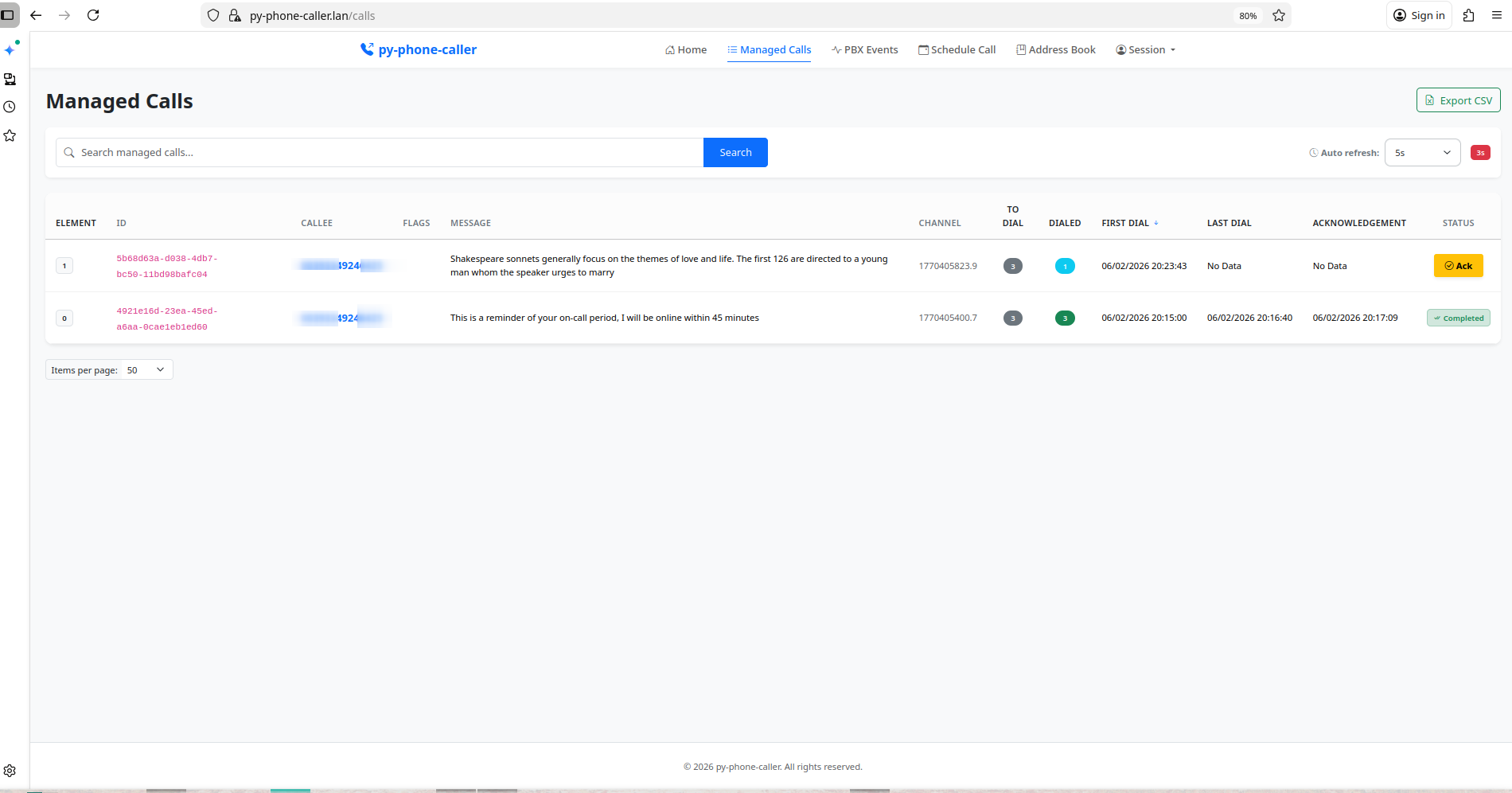 Alertmanager-triggered call visible in Managed Calls.
Alertmanager Acknowledged ★
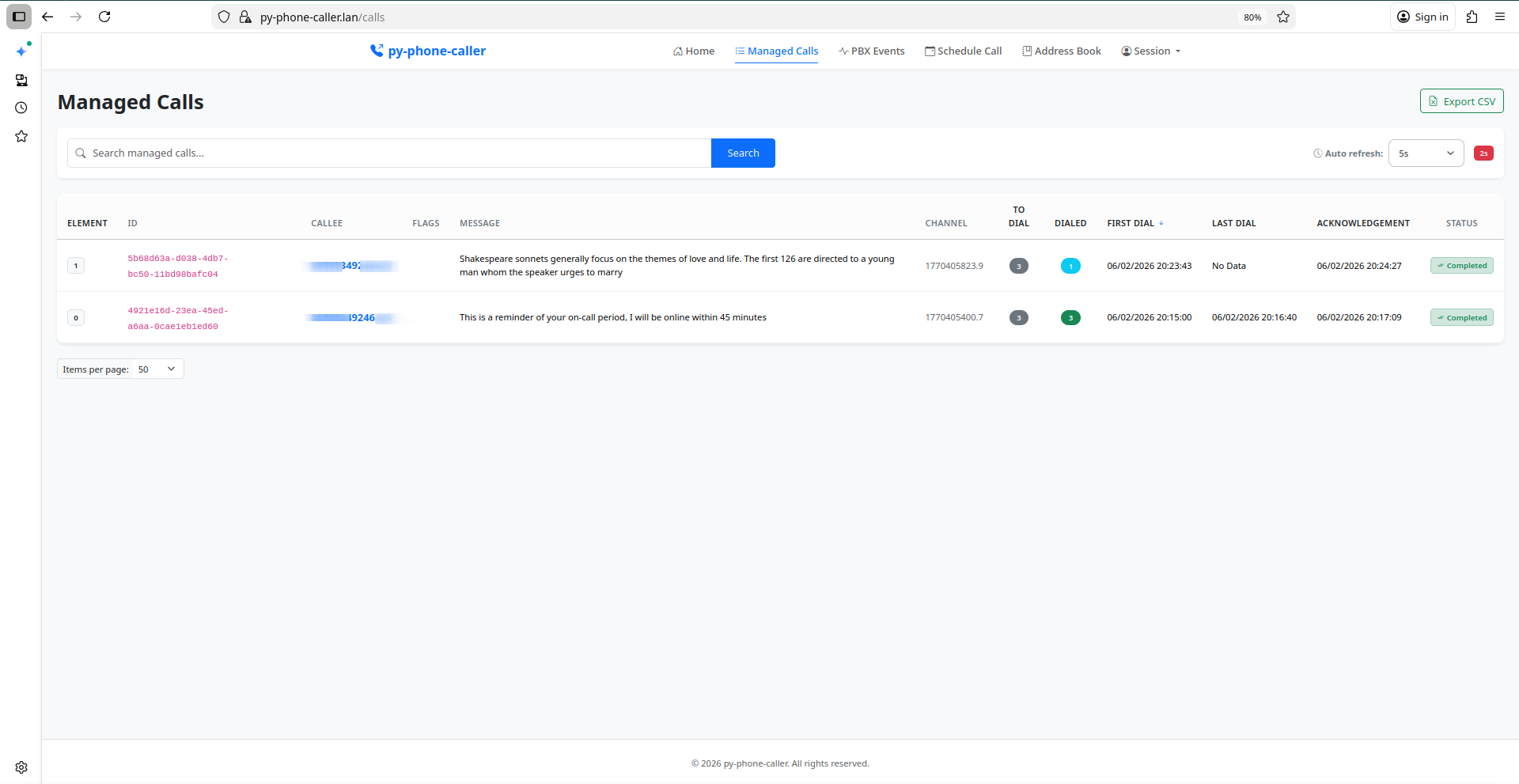 Alert-driven call completed and acknowledged.
✔ Wrap-up ★
py-phone-caller keeps the critical path tight: schedule or trigger a call, monitor execution, and confirm acknowledgment, with PBX-level telemetry on demand.